A portfolio management application that consolidates positions across brokerage accounts and organizes them by investment thesis. Charts, research, tax lots, inline notes, and price alerts on the same screen as the decision.
People who manage their own investments tend to spread positions across more than one brokerage. The view in each app is sorted by account. The thesis behind each position — why it was bought, what would change the mind, when to reconsider — lives in spreadsheets, group chats, or memory.
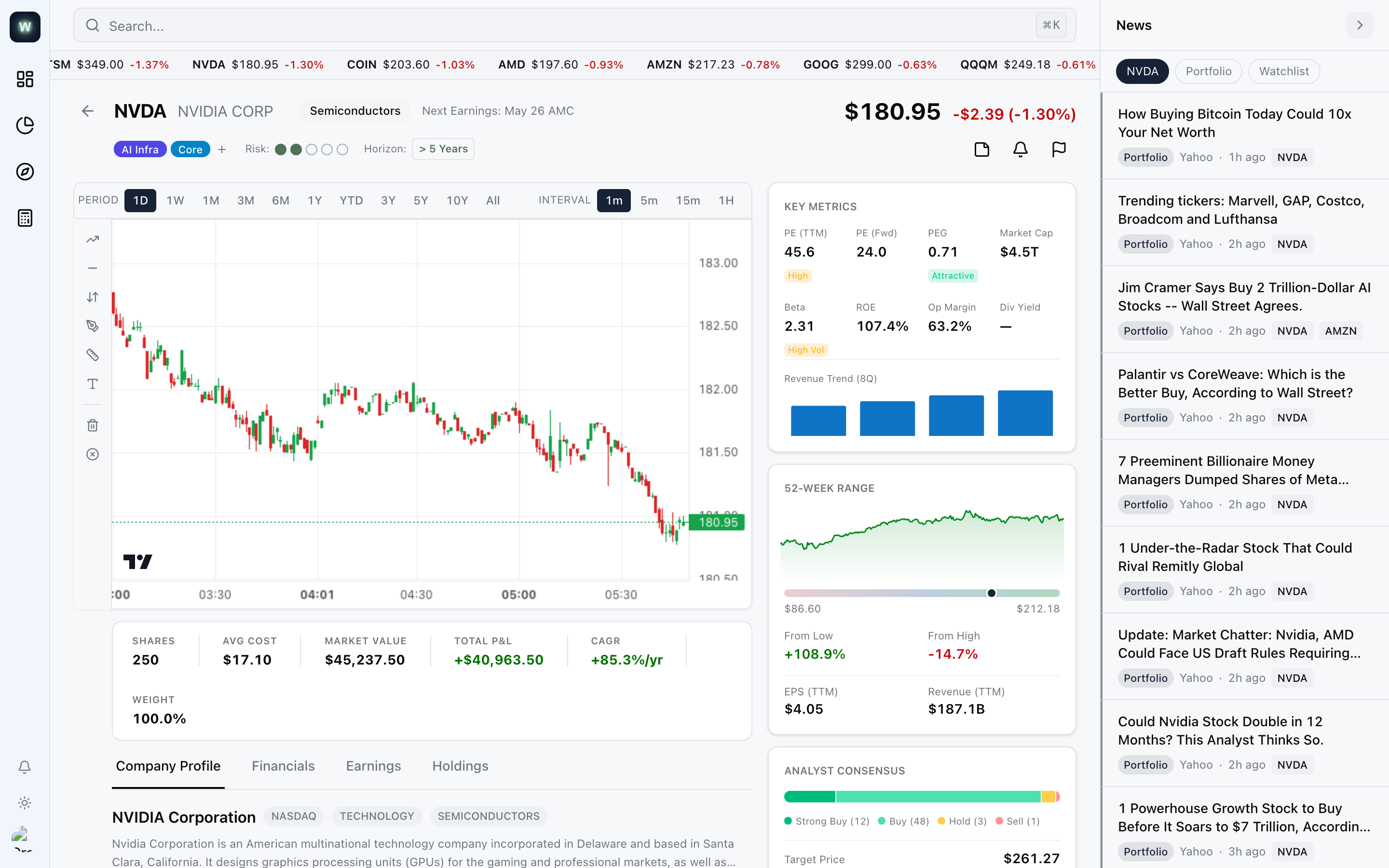
Wealthpane consolidates positions across brokerages and reorganizes the portfolio by investment thesis. Schwab connects through the Trader API. Fidelity comes in as CSV. Every position carries one or more focus-area tags, a risk level, and a time horizon, and the portfolio-analysis screens slice by those tags first. The stock detail page brings the chart, the metrics, the analyst consensus, the tax-lot table, and the inline notes onto a single screen so a decision can be made without leaving the app.
Wealthpane uses no AI. It is a consolidation and organization layer for someone who already knows what to look at.
Built with Claude Code, using its skills and sub-agents as a repeatable process for production-grade work.
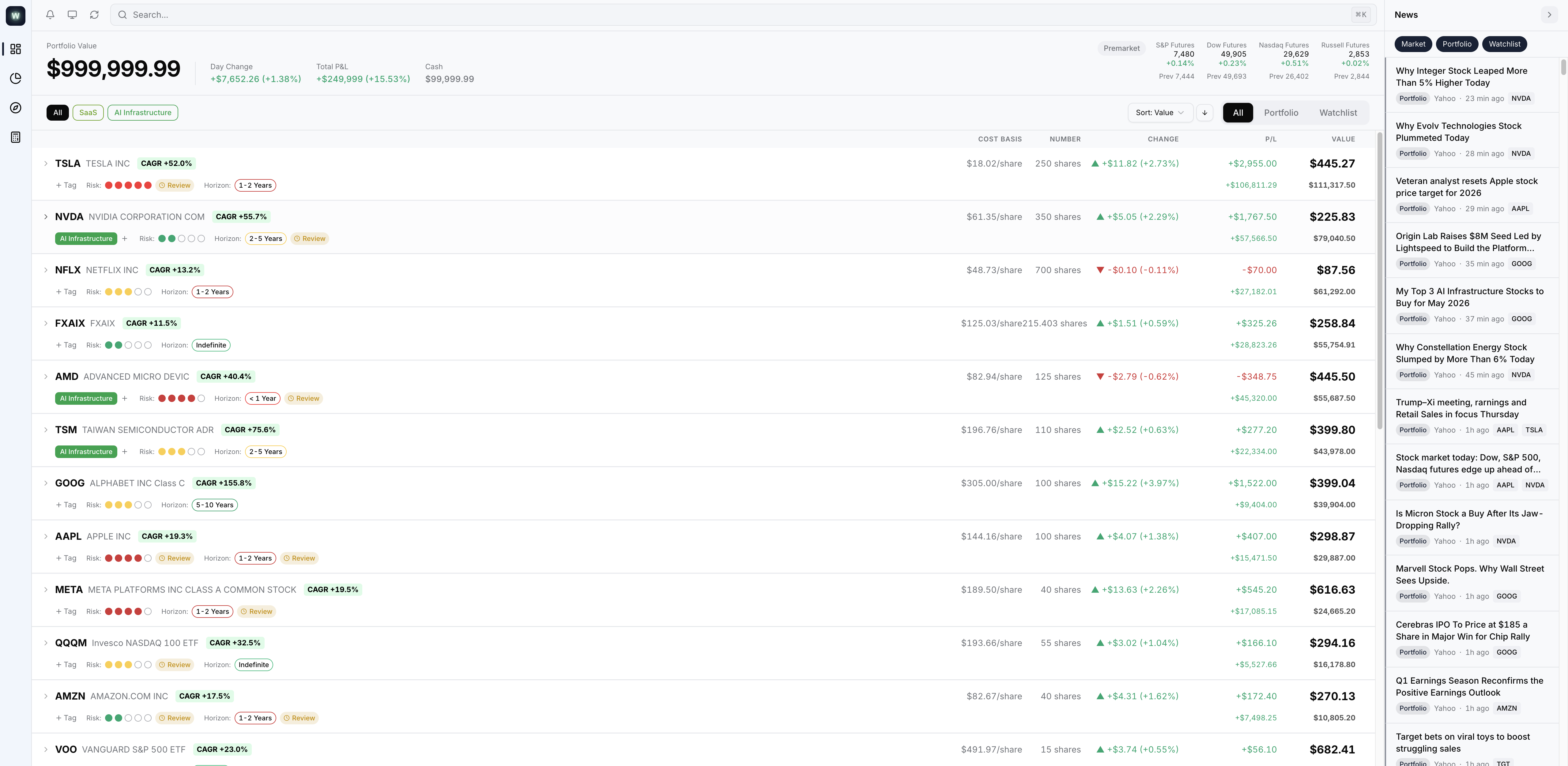
Positions from every brokerage in one ranked list. Each row carries the account, weight, day change, total P&L, and thesis tags. Filters slice by account, thesis, or modality.
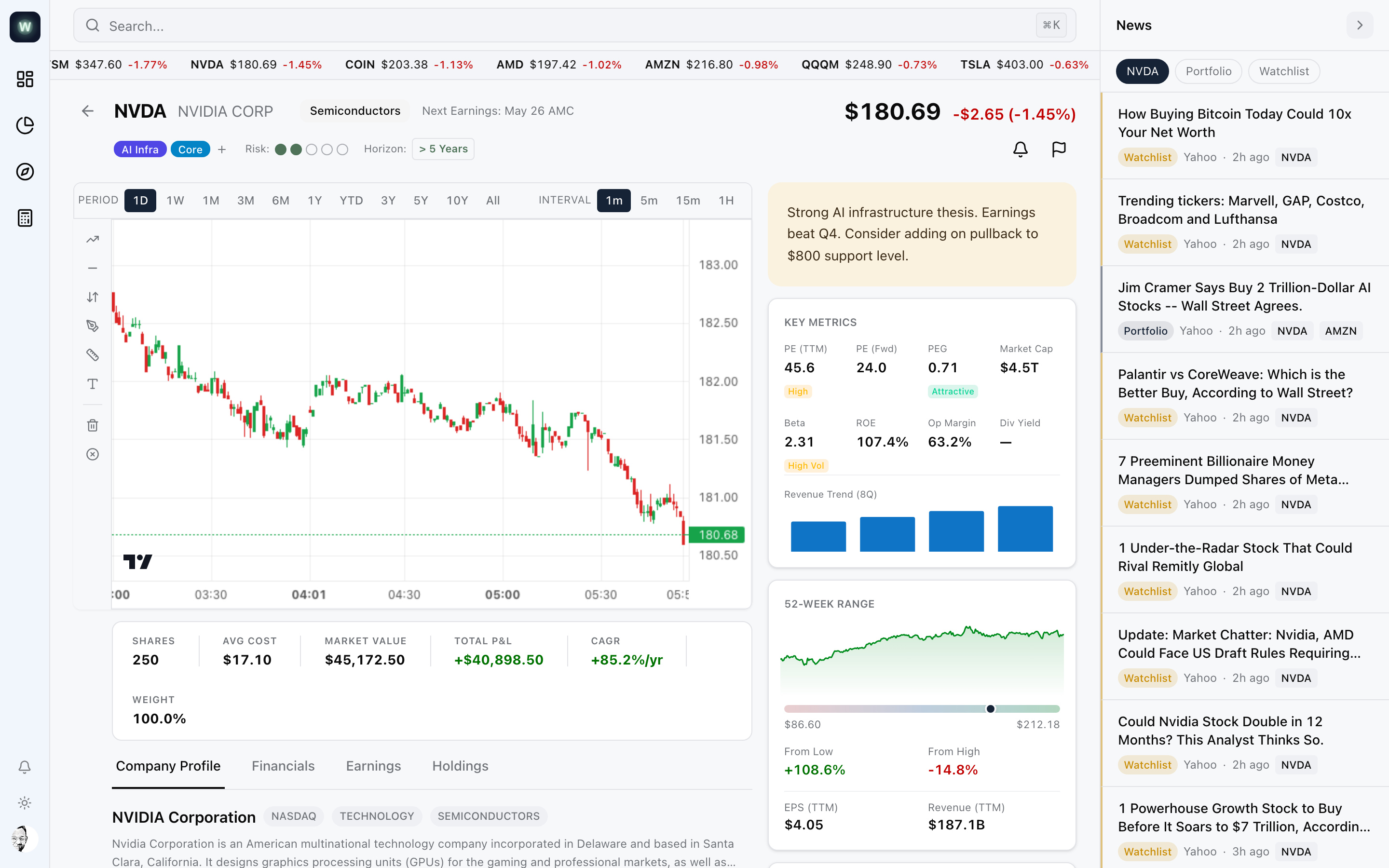
Every ticker has a page with the chart, inline note, key metrics, tax lots, and news together. Everything a buy or sell needs on one screen.
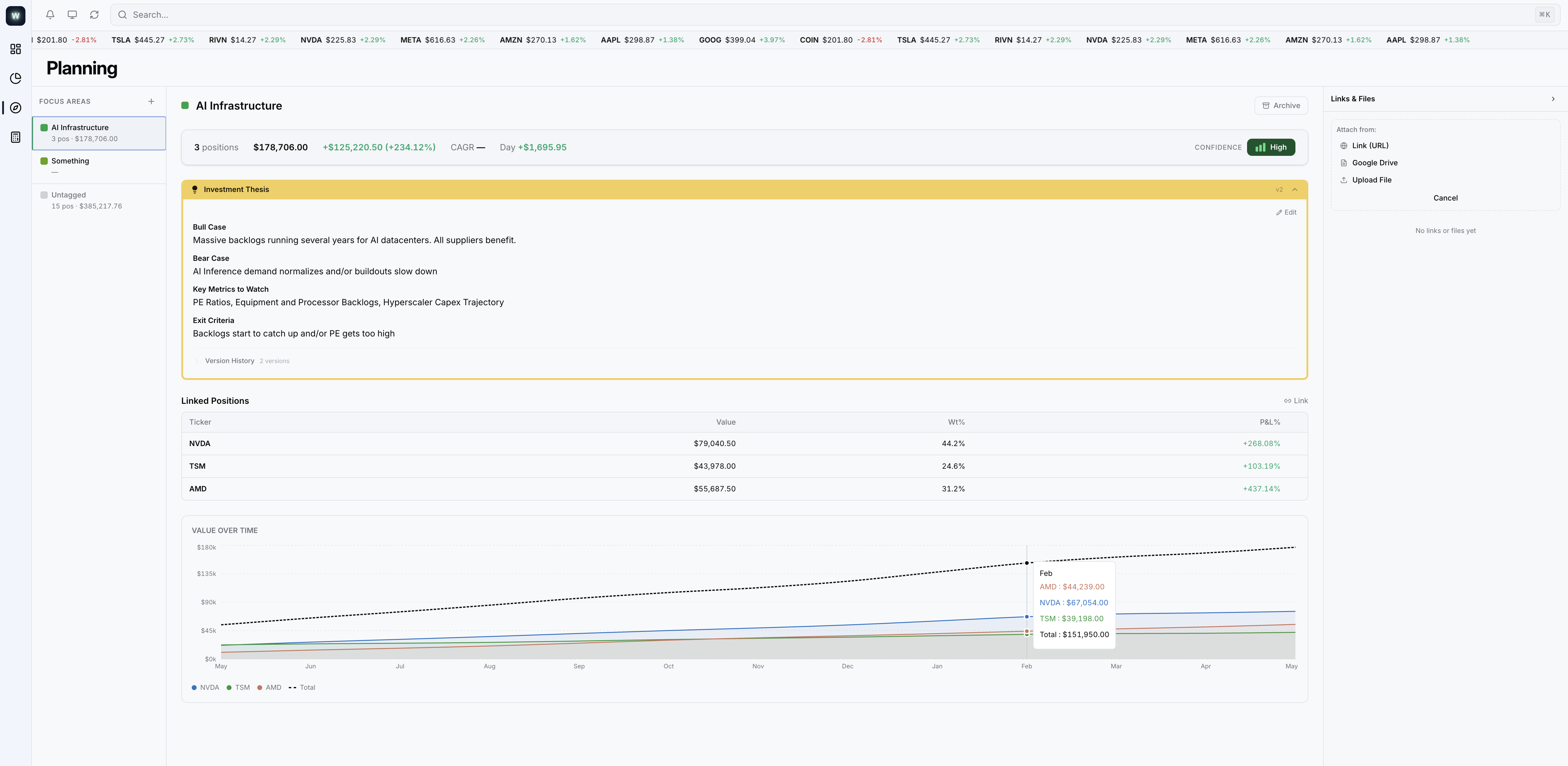
Each thesis gets a page with a structured template: bull case, bear case, key metrics, exit criteria. Tagged positions roll up into a linked-position table and a value-over-time chart. Research links and uploaded documents save alongside. Revisions are versioned.
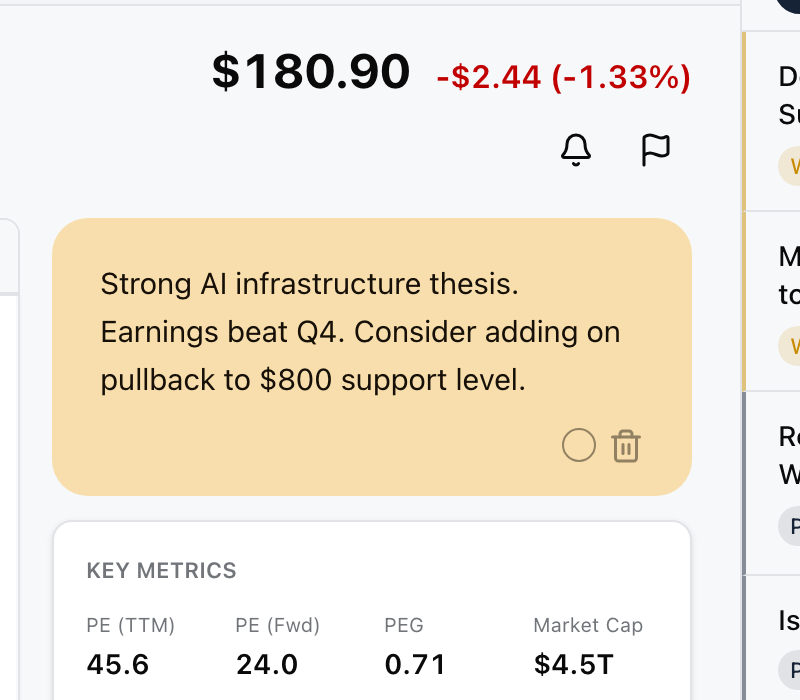
Each position carries a sticky note in one of five colors. The note sits at the top of the stock page, in view every time the ticker comes up.
TradingView lightweight-charts with five drawing-tool plugins: trendlines, Fibonacci, freehand, price ranges, text. Annotations save per ticker.
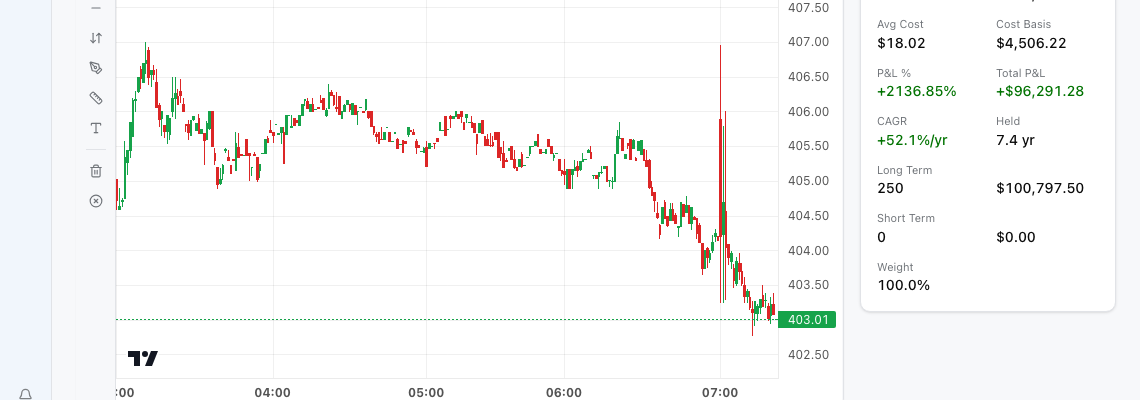
Every position breaks down into tax lots: acquisition date, cost basis, days held, gain or loss, long-term or short-term. Wash-sale risk flagged inline.
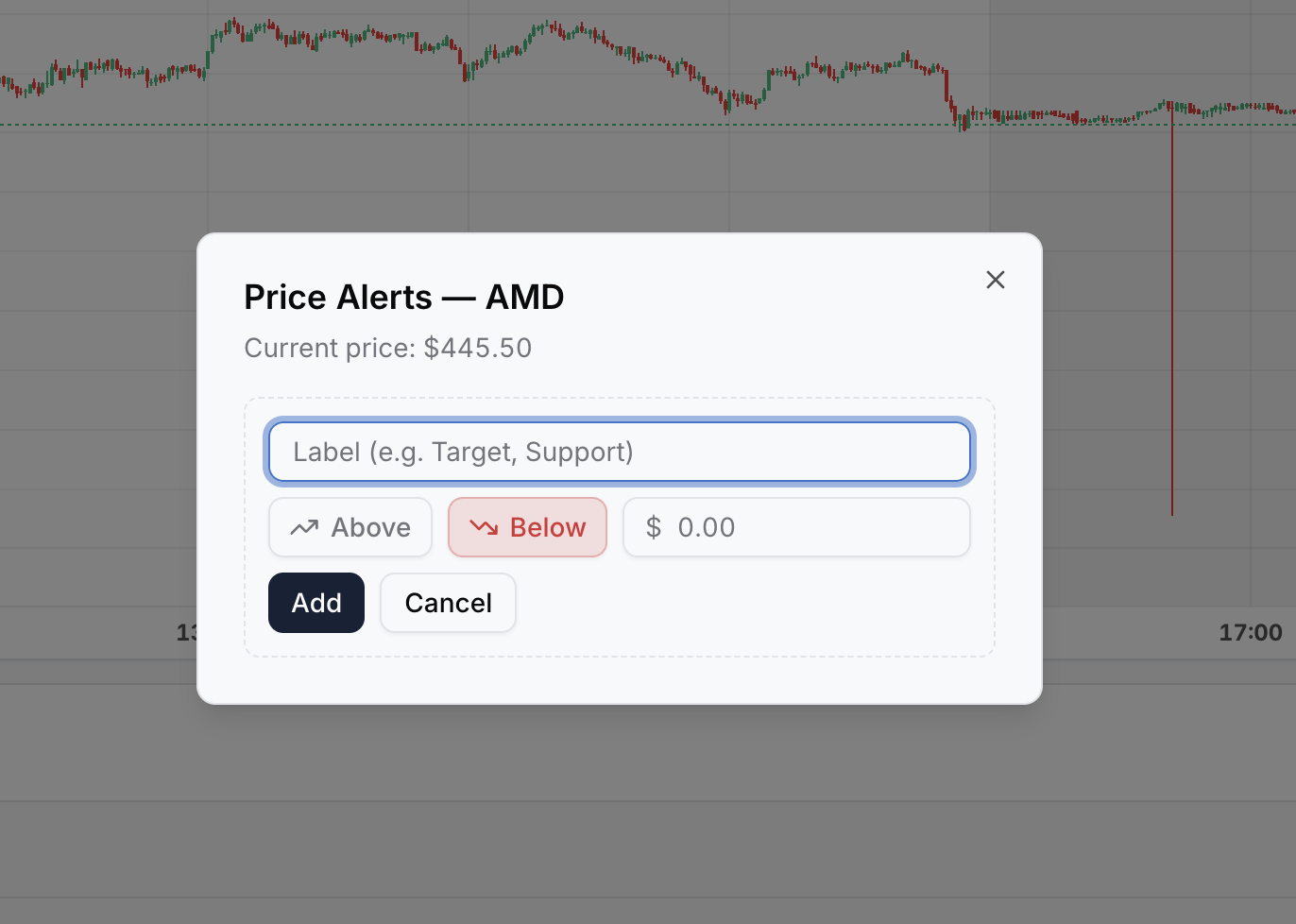
Price-level alerts fire when the market crosses a target. Each alert carries a label so the reason the level matters travels with it. News in the sidebar filters by per-ticker priority flags.